.png)
Final Send Time (Message Expiry)
Final Send Time (also known as Message Expiry) lets you specify how long the system should continue to attempt to deliver a scheduled SMS message.
If a message cannot be delivered within the defined time window, it is automatically cancelled and will not be sent.
This feature helps you control delivery timing and avoid sending outdated messages.
When Final Send Time Applies
Final Send Time is only available for scheduled SMS messages.
It does not apply to:
- Messages sent immediately
- Draft messages that are not scheduled
You can configure the final send time when scheduling a message from the New Message page.
Enable Final Send Time
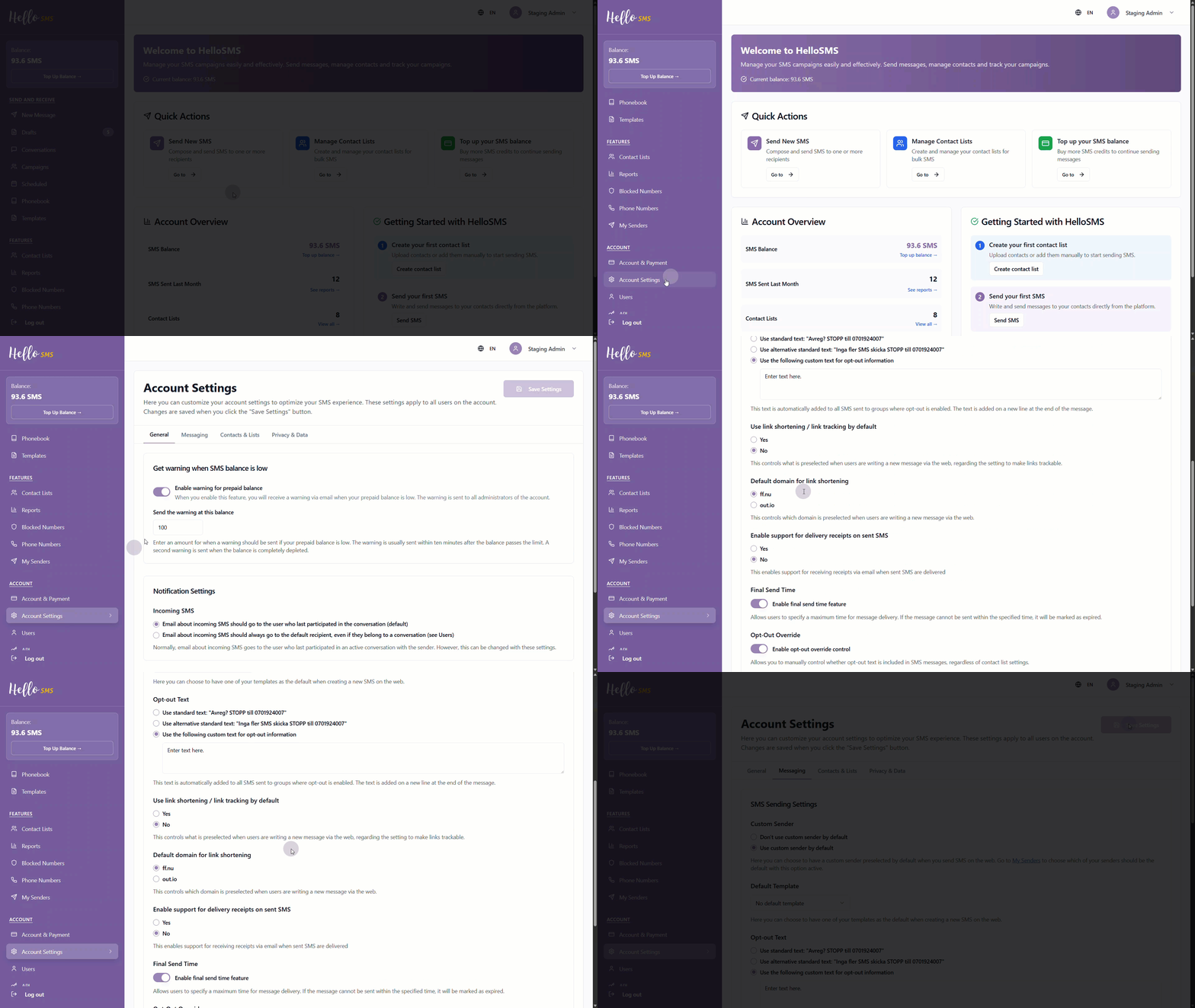
Final Send Time must be enabled at the account level before it becomes available when scheduling messages.
To enable Final Send Time:
- Go to Account Settings.
- Open the Messaging tab.
- Locate Final Send Time and toggle the setting on.
-
Click Save Settings to apply your customized account configuration changes.
Configure Final Send Time for a Scheduled Message
When creating or editing a scheduled message:
- In the Settings section, select Final Send Time.
-
Define how long the system should attempt to deliver the message.
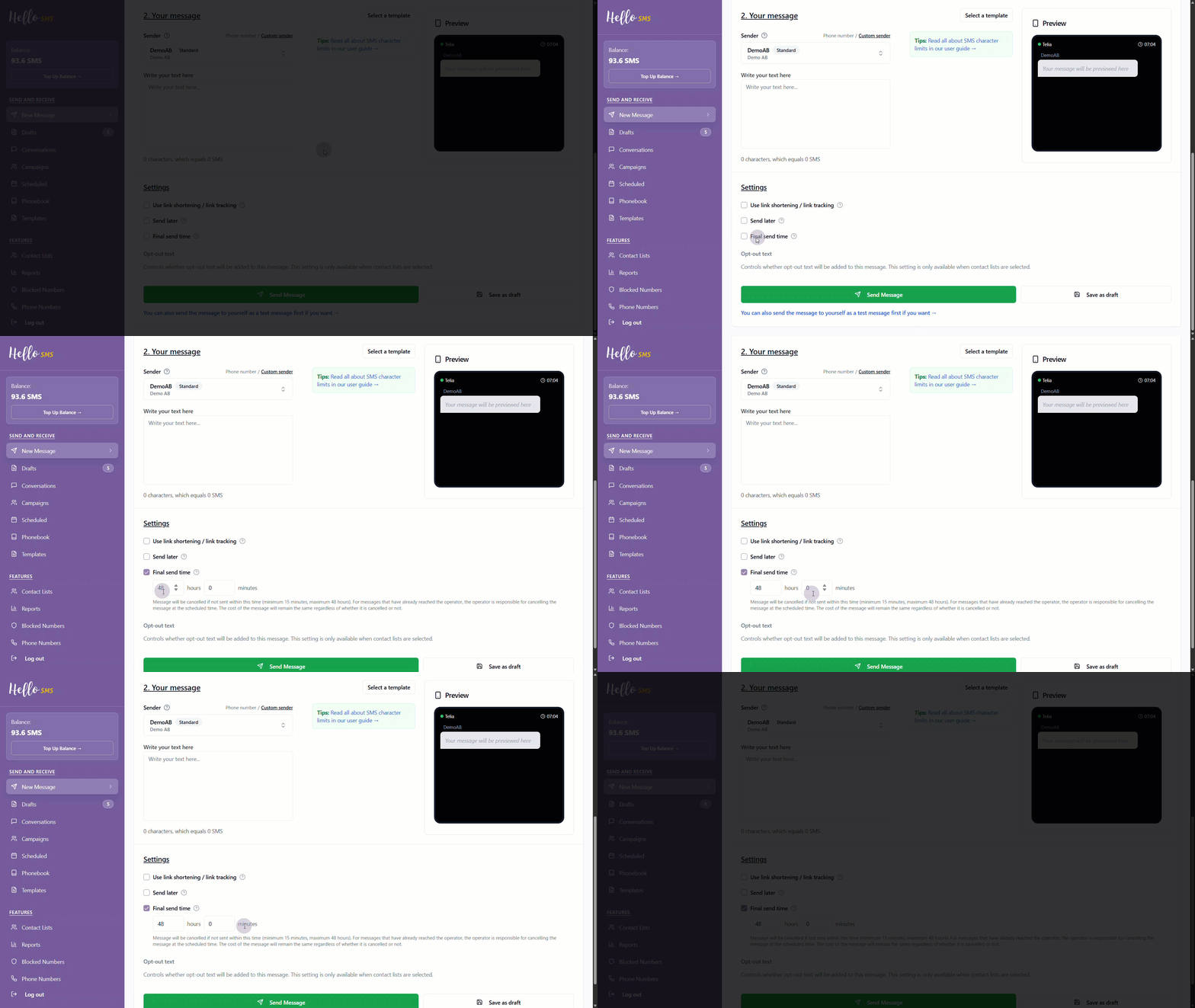
You can configure the delivery window using the following values:
- Hours: 0–48
- Minutes: 0–59
- Minimum delivery window: 15 minutes
- Maximum delivery window: 48 hours
The final send time is calculated from the scheduled send time.
What Happens When the Final Send Time Is Reached
If the message cannot be delivered before the final send time:
- The message is automatically cancelled.
- No further delivery attempts are made.
- The message is not sent to the recipient.
This ensures messages are not delivered after they become irrelevant.
Default Delivery Behavior
If you do not set a final send time:
- Delivery attempts follow each carrier's default rules.
- The delivery window varies by provider but is often up to 48 hours.
- Final Send Time settings are saved when the message is saved as a draft.
- If you need to change the final send time, edit the scheduled message before it is sent.
- To modify a scheduled message, you must delete it and create a new one.
Learn More
See the following articles to learn more: